
V1.1.0
Circuits, circuit diagram with KNX & extra-low voltage, control cabinet in 3D
Installation plan, circuits, circuit diagram and control cabinet now work together seamlessly: create a device once and find it everywhere.
Circuits
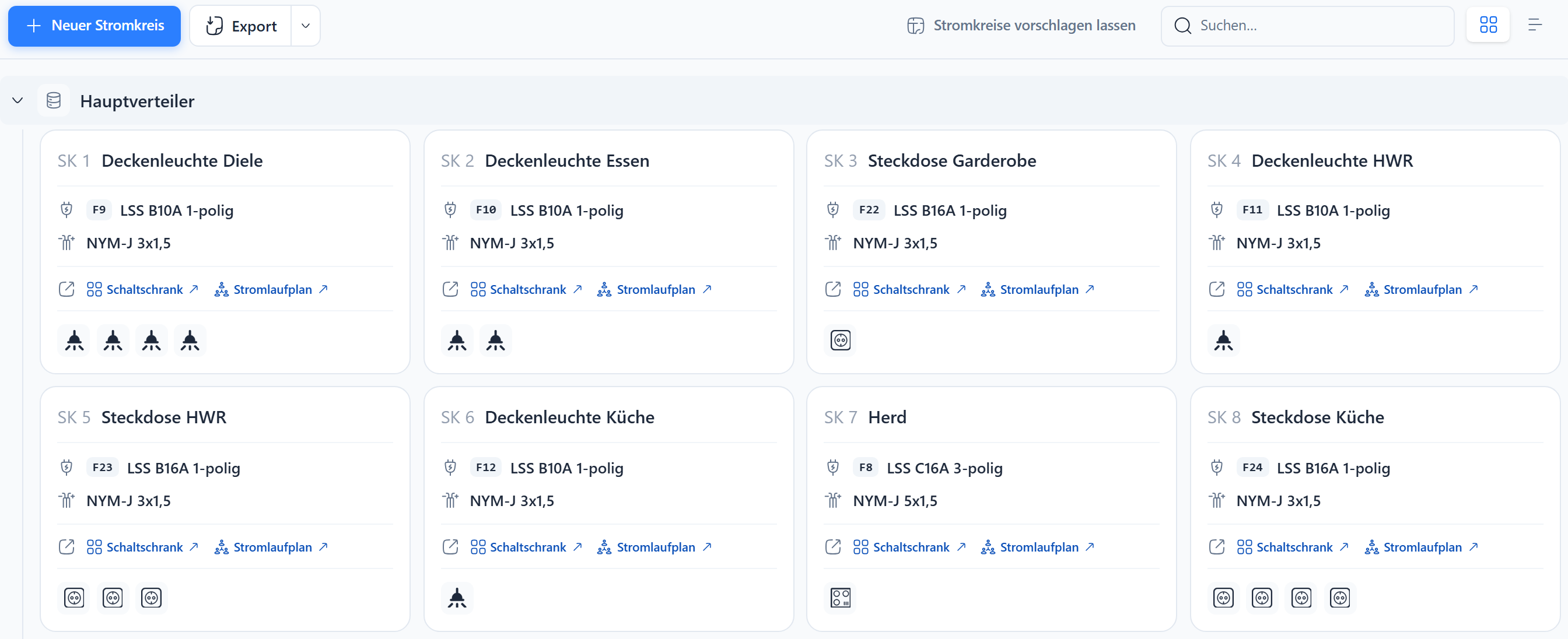
- Assign symbols directly in Circuits, not only in the installation plan
- Get a suggestion based on your rules, then adjust it freely
- Export as PDF and CSV
Circuit diagram
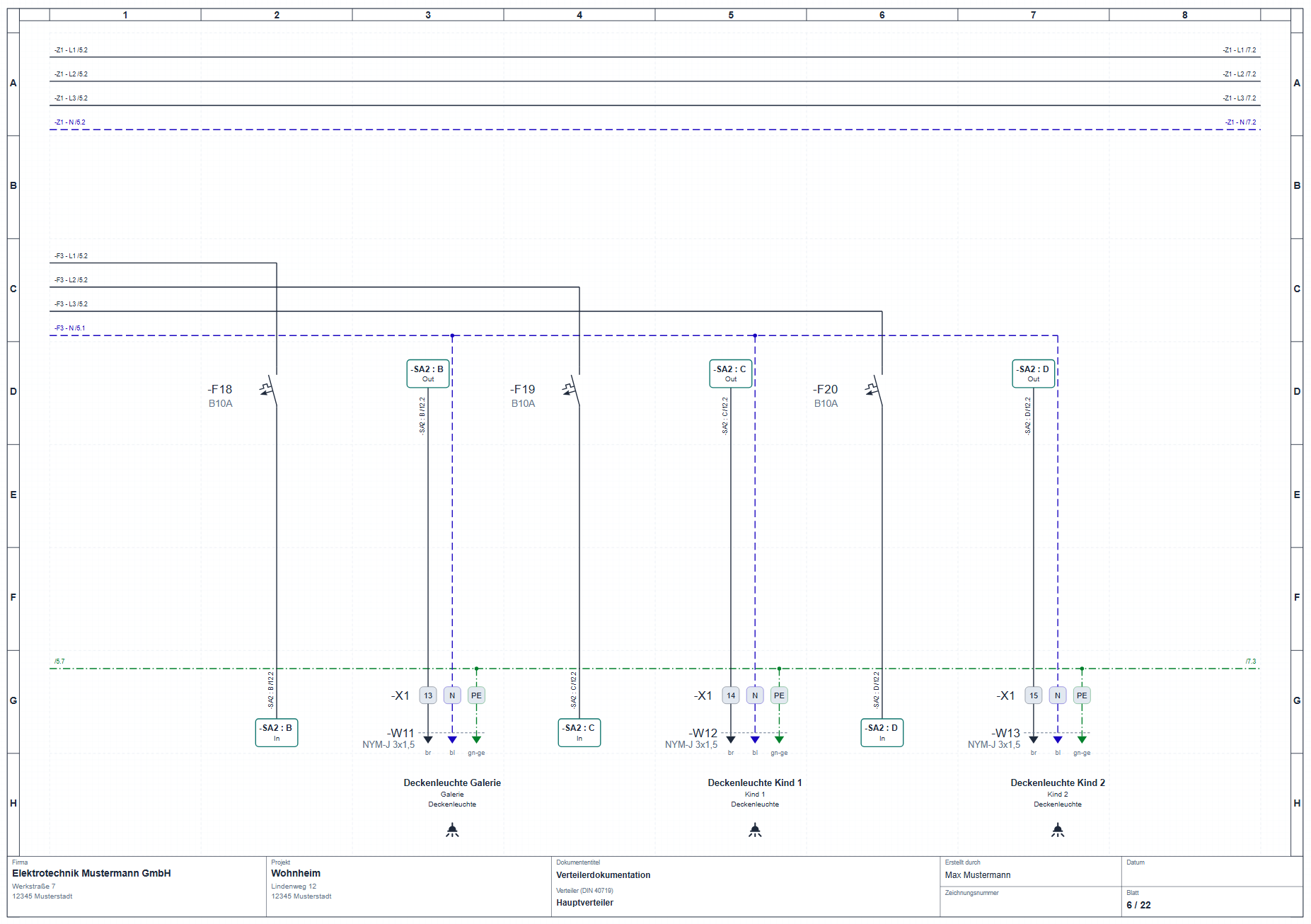
- Simple or technical view, both always stay in sync
- Devices, cables and terminals are linked to the control cabinet and circuits
- KNX with bus line, actuator channels and assignment plan
- Extra-low voltage with power supplies, bell transformers and matching cables
Control cabinet in 3D
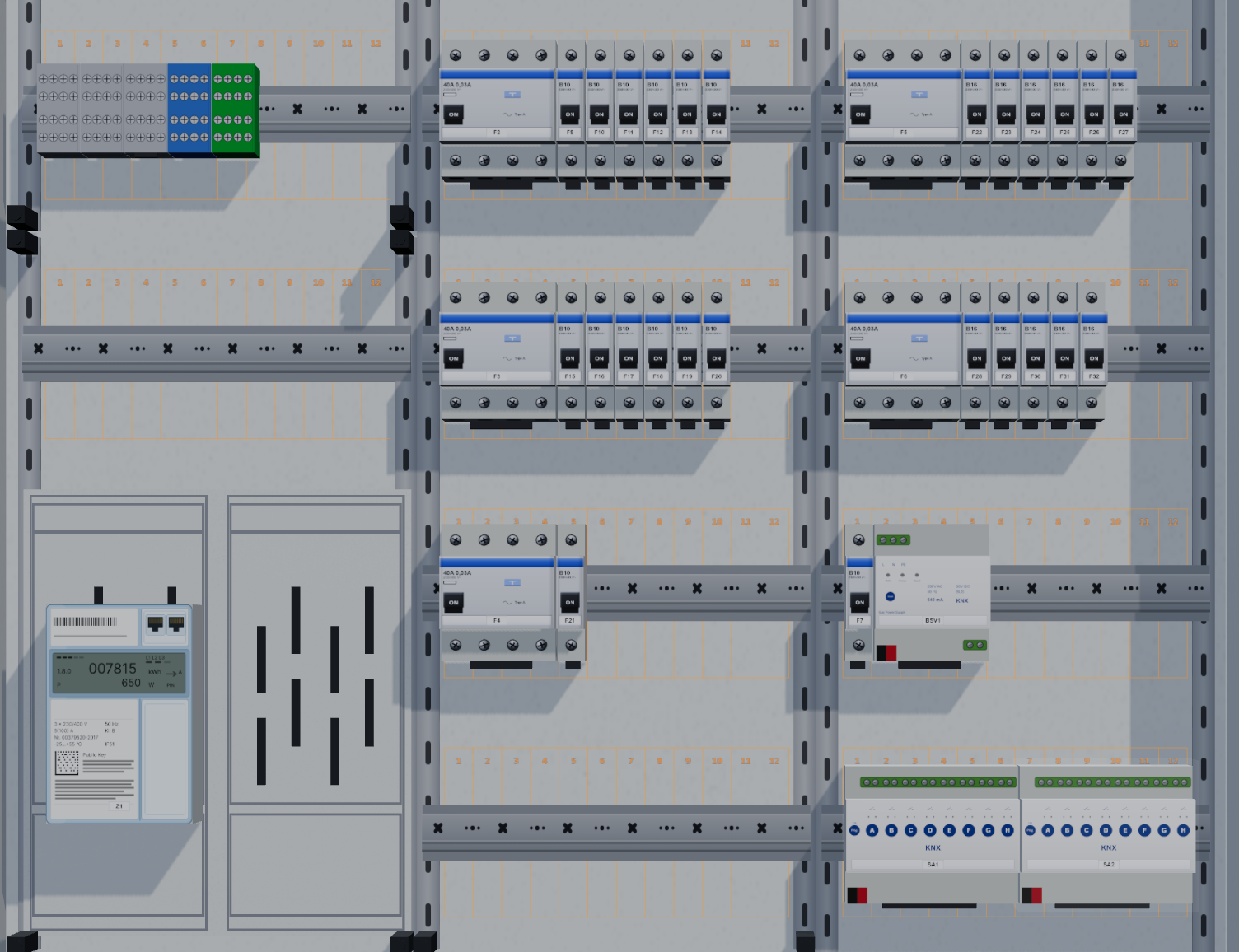
- New editor with a 3D view and realistic device fronts
- DIN rail, busbar, meter panel and more, place devices via drag & drop
- Many new KNX devices: switch and heating actuators, binary inputs, line couplers, LED controllers
- Fuse legend with PDF and Excel export
- Clearer device catalog
Also new
- Replace floor plan: swap the floor plan in the installation plan. Symbols, rooms, cables and the scale keep their position.
- Placeholder device: if a device is missing from the library, simply build your own for circuit diagram and control cabinet.
- History: undo and redo changes across the whole project.


