
Detect the rooms of a floor plan automatically with AI
There is news in myElectricPlan again! From now on the AI detects the rooms in your floor plan and draws them in for you.
Detect rooms with AI
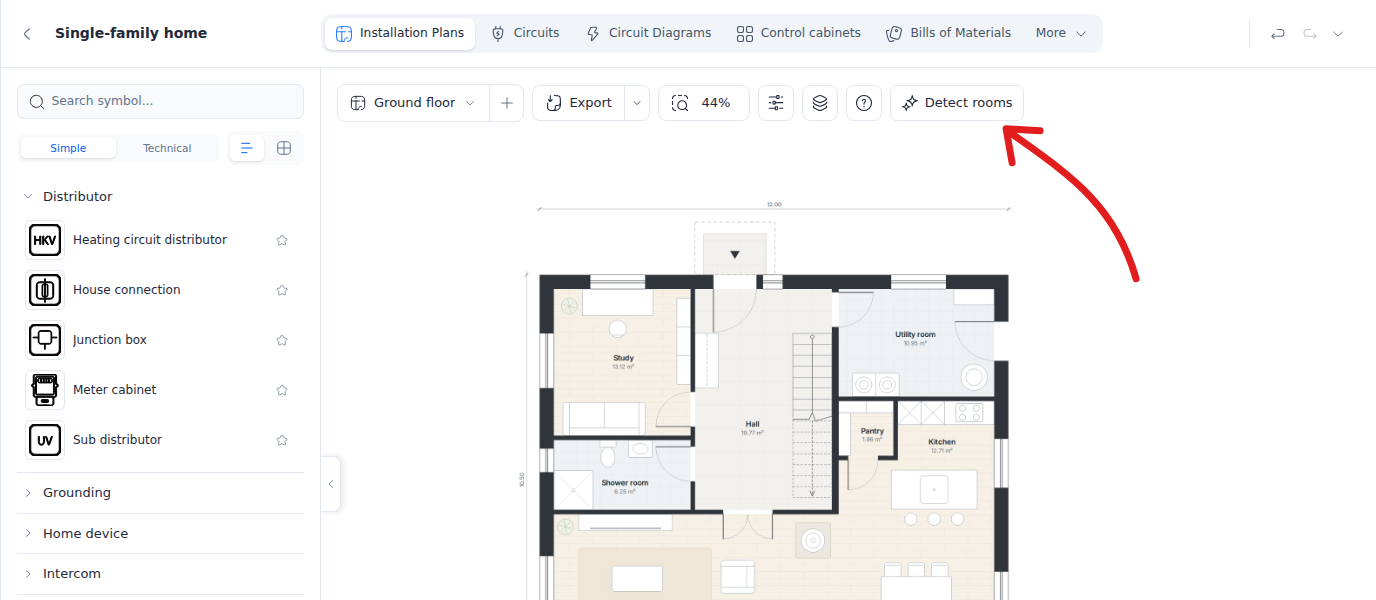
The feature and the button are only available as long as no rooms have been drawn in the floor plan yet.
Have a quick look at the result afterwards. You can adjust, rename or delete the rooms as usual.
AI credits
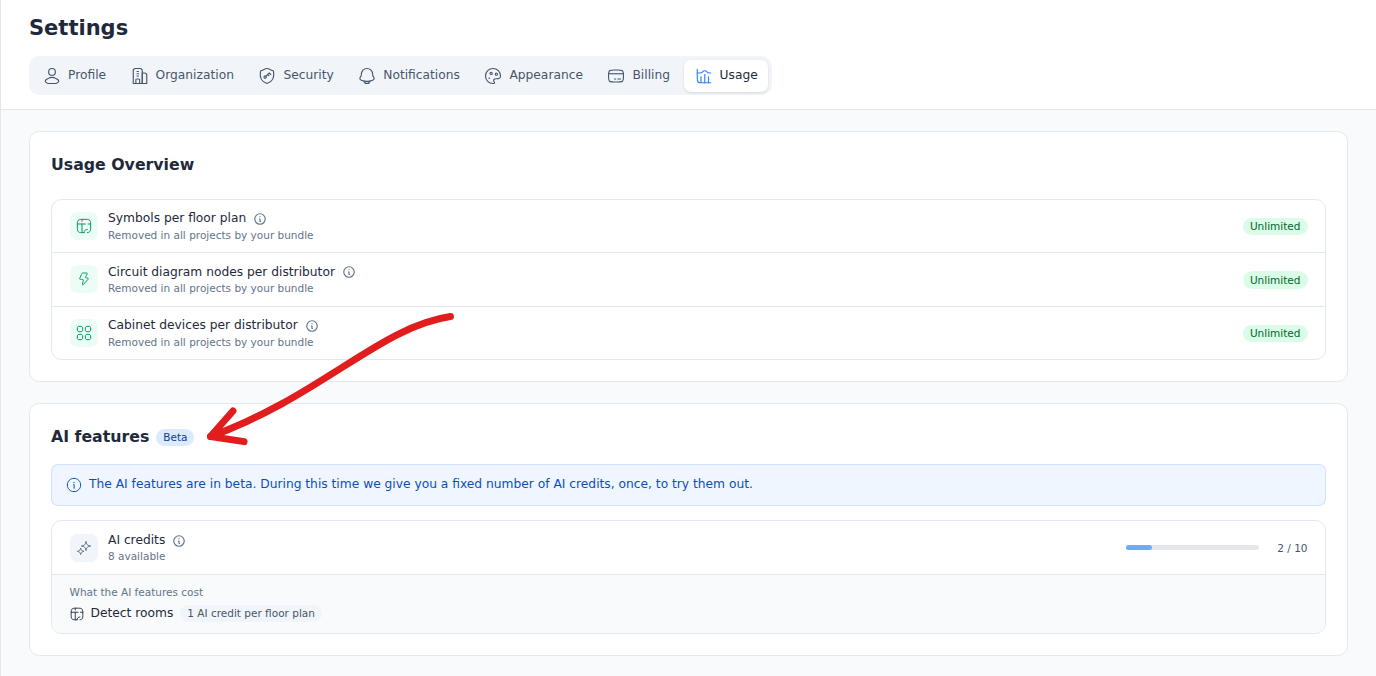
You can see your current balance at any time in the settings on the "Usage" tab.


