V1.2.0
Cables in the installation plan
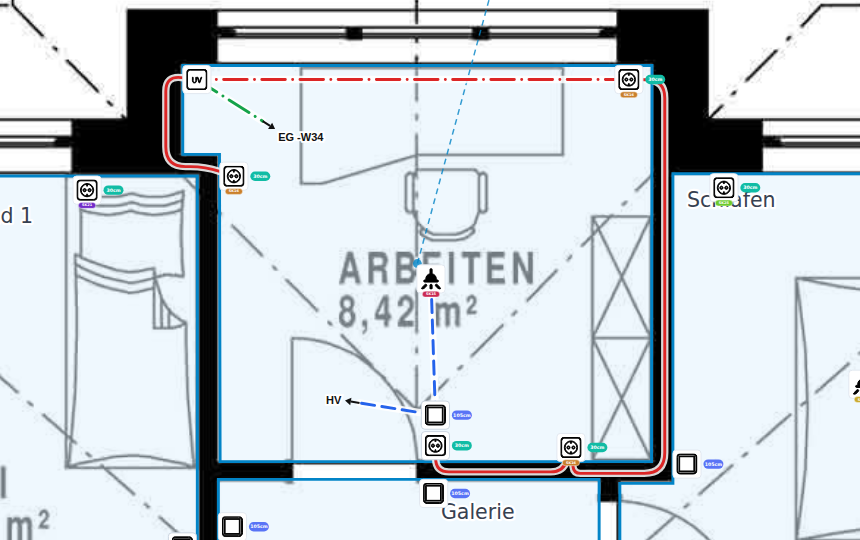
You can now draw cables directly in the installation plan. As you lay a cable, the app keeps track of its length, including the height down to the symbols. The cables then show up in the bill of materials and in your exports, ready for the rest of your planning!
Draw cables
- With the cable tool in the installation plan you draw click by click from the distributor to the symbols.
- Points snap to symbols, even inside collapsed symbol groups.
- You can continue a cable from its end. The tool stays active until you press Esc.
- You choose the installation type per cable: wall, ceiling or floor.
- Cable ends can point to a distributor or another floor plan, labelled with a short name such as HV or EG.
Length at a glance
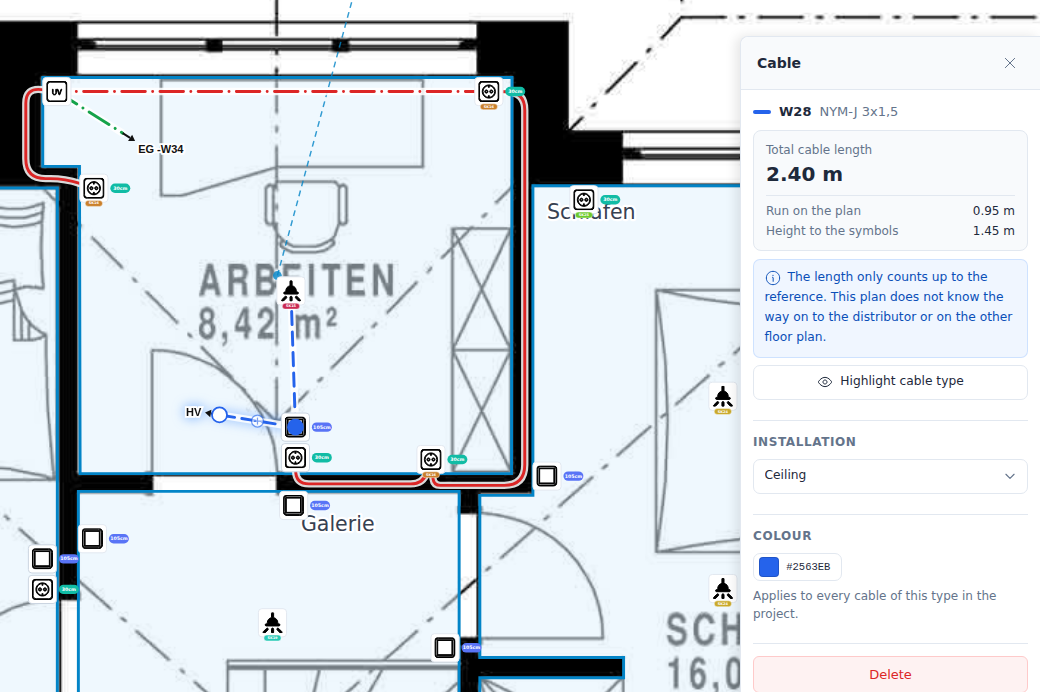
- The cable panel shows the total cable length: the route in the plan plus the height down to the symbols.
- Every floor plan has a ceiling height. Over the ceiling, the distance down to the mounting height of every symbol on the way is counted.
- In the wall, the distance between mounting heights is included.
Bill of materials & export
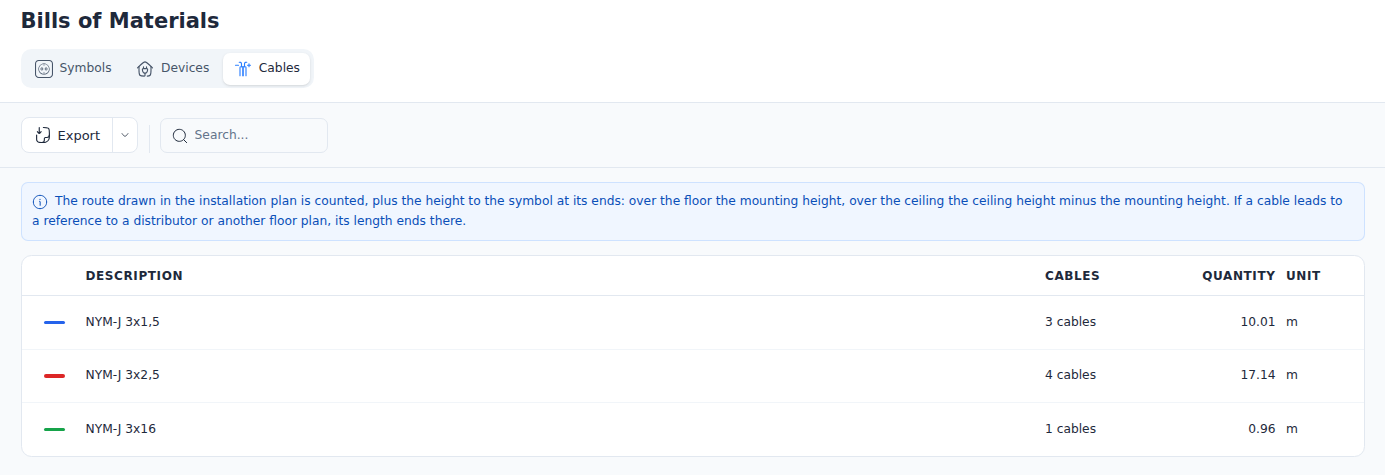
- New Cables tab in the bill of materials with metres per cable type. It is also available as a CSV export.
- In the plan export, every cable type gets its own page. There is also a cable legend.